
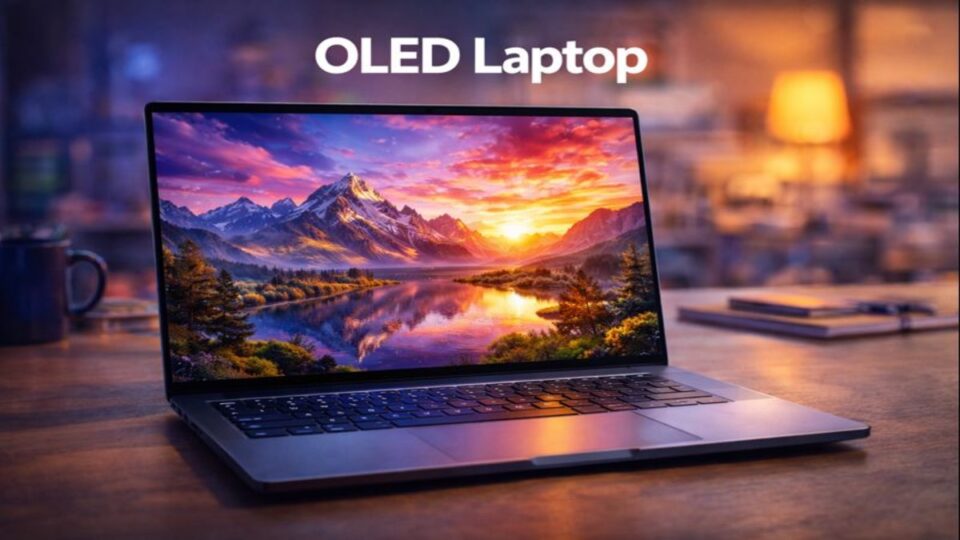
Laptops have come a long way, but nothing changes the experience quite like an OLED laptop display. Once you see true blacks, vibrant colors, and razor-sharp contrast, it’s hard to go back. OLED laptops are no longer niche devices for designers only—they’re now mainstream, affordable, and available for everyday users.
So, what makes OLED laptops special? Are they worth the price? And who should actually buy one? Let’s break it all down in a simple, human way.
What Is an OLED Laptop?
An OLED laptop uses an Organic Light-Emitting Diode display instead of traditional LCD or LED panels. Unlike LCD screens that rely on a backlight, OLED pixels light up individually. When a pixel is off, it’s truly black.
Think of it like turning off individual light bulbs instead of dimming the whole room.
How OLED Displays Work
Self-Emissive Pixels Explained
Each pixel in an OLED display produces its own light. This allows:
- Perfect blacks
- Infinite contrast ratios
- More accurate colors
OLED vs Backlit Displays
Traditional displays always have light bleeding through. OLED doesn’t. That’s the magic.
OLED Laptop vs LED Laptop
Contrast and Black Levels
OLED wins—no contest. Blacks are deep and inky, not grayish.
Brightness Comparison
LED laptops can get brighter in some cases, but OLED offers better perceived brightness due to contrast.
Power Efficiency
OLED is more efficient when displaying dark content, while LED handles bright screens better.
Key Benefits of OLED Laptops
1. Stunning Visual Quality
Colors pop. Blacks disappear. Watching movies feels cinematic.
2. Perfect for Creative Work
Graphic designers, photographers, and video editors love OLED for color accuracy.
3. Faster Response Time
OLED panels respond faster than LCD, reducing motion blur.
4. Thin and Lightweight Designs
OLED panels are slimmer, allowing ultra-thin laptop designs.
Common Myths About OLED Laptops
Myth 1: OLED Always Burns In
Modern OLED laptops use pixel-shifting and refresh technologies to reduce burn-in risks.
Myth 2: OLED Is Too Expensive
Prices have dropped significantly, especially in mid-range laptops.
Myth 3: OLED Is Only for Professionals
Casual users benefit too—movies, browsing, and gaming all look better.
Who Should Buy an OLED Laptop?
Content Creators
If color accuracy matters, OLED is a game-changer.
Movie and Media Lovers
Streaming on an OLED laptop feels like carrying a mini theater.
Students and Professionals
Long hours become more enjoyable with easier-on-the-eyes visuals.
Who Should Avoid OLED Laptops?
- Users who keep static images on-screen all day
- Those prioritizing maximum battery life
- Outdoor users needing ultra-high brightness
OLED Laptop for Gaming
Response Time and Refresh Rate
OLED panels have near-instant response times. Some now support 120Hz and higher.
HDR Gaming Experience
Games look more realistic with deep shadows and bright highlights.
OLED Laptop for Office Work
Text clarity is excellent, especially on high-resolution OLED panels. Dark mode saves battery and reduces eye strain.
OLED Laptop for Students
Lightweight designs, vivid screens, and long-lasting build quality make OLED laptops a solid choice—if budget allows.
Battery Life on OLED Laptops
Does OLED Drain Battery Faster?
It depends on usage. Bright white screens drain faster, while dark themes save power.
Tips to Improve Battery Life
- Use dark mode
- Reduce brightness
- Enable battery optimization
OLED Burn-In: Should You Worry?
Burn-in is rare on modern laptops. Using screen savers and avoiding static content minimizes risk further.
Popular OLED Laptop Brands
Dell OLED Laptops
Known for premium build and accurate displays.
ASUS OLED Laptops
Leaders in OLED adoption, especially in creator laptops.
HP OLED Laptops
Balanced designs with strong performance.
Lenovo OLED Laptops
Great keyboards paired with rich displays.
OLED Laptop vs Mini-LED Laptop
- OLED: Better blacks and contrast
- Mini-LED: Higher brightness and longer lifespan
Both are excellent—it comes down to preference.
Display Resolution in OLED Laptops
Full HD OLED
Great balance of quality and battery life.
4K OLED
Incredible sharpness, ideal for creative work, but uses more power.
OLED Laptop for Eye Comfort
OLED reduces blue light and flicker, making it more comfortable for long sessions.
Conclusion
An OLED laptop isn’t just about looks—it’s about experience. From breathtaking visuals to smoother performance, OLED elevates everyday computing. While it may not be perfect for everyone, for most users, the upgrade is absolutely worth it. Once you go OLED, it’s hard to look back.
FAQs
1. Is an OLED laptop good for everyday use?
Yes, especially for browsing, media, and office tasks.
2. Do OLED laptops have burn-in issues?
Modern OLED laptops are well-protected and safe for normal use.
3. Are OLED laptops good for gaming?
Yes, thanks to fast response times and HDR visuals.
4. Does OLED consume more battery?
Only with bright content. Dark mode helps conserve power.
5. Is OLED better than IPS?
For contrast and color, yes. IPS may still win in brightness and cost.
