

Introduction
So… your phone battery is draining way too fast?
Yeah, that’s one of the most annoying problems. You charge your phone to 100%… and somehow, a few hours later, it’s already down to 40% without doing much.
I’ve dealt with this battery drain issue more times than I can count. And honestly, at first, I thought my phone was just getting old.
But here’s the thing — most of the time, it’s not the phone. It’s small settings, apps, or habits that quietly drain your battery.
So let’s break this down in a simple way. No technical stuff. Just real fixes that actually help.
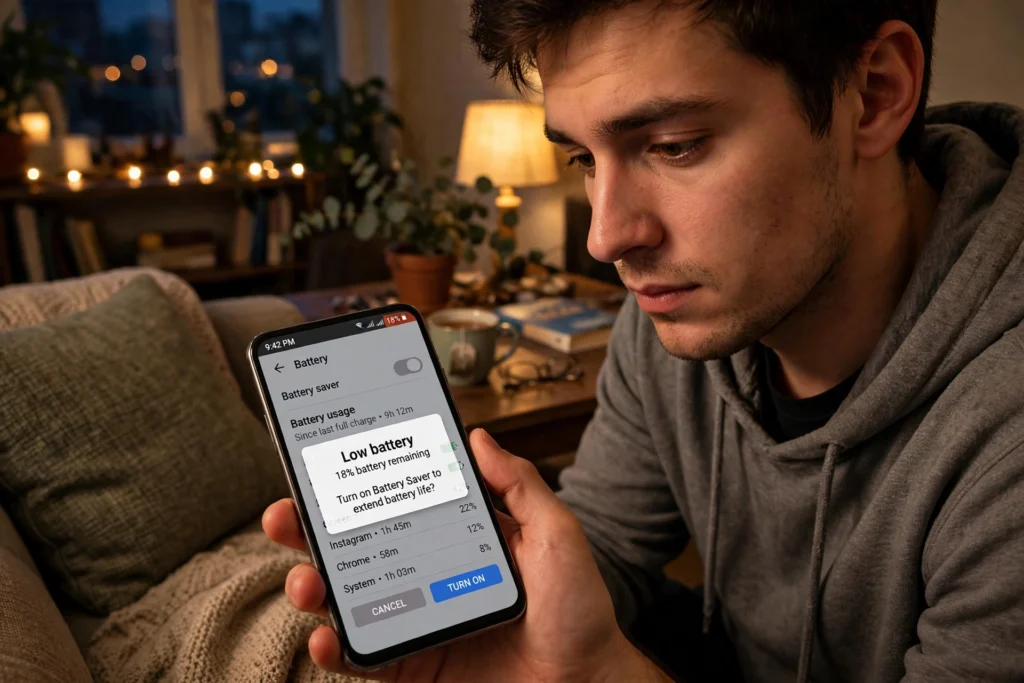
1. Battery Drain Issue – Quick Understanding
Before fixing anything, understand this:
Your battery doesn’t drain randomly.
It usually happens because of:
- Background apps
- High screen brightness
- Location services
- Poor network signals
Once you fix these, the battery drain issue often improves quickly.
2. Check Battery Usage (Start Here First)
Don’t guess — check what’s actually draining your battery.
Do this:
- Go to Settings → Battery
- Look at app usage
You’ll usually find:
- Social media apps
- Games
- Background services
Sometimes one app alone causes most of the battery drain issue.
3. Reduce Screen Brightness
This sounds basic… but it matters a lot.
Your screen uses the most battery.
Simple fixes:
- Lower brightness manually
- Turn on auto-brightness
- Reduce screen timeout
Small change, big difference.
4. Close Background Apps
Many apps keep running even when you’re not using them.
Fix:
- Close unused apps
- Disable background activity for heavy apps
This alone can reduce the battery drain issue noticeably.
5. Turn Off Location & GPS When Not Needed
Location services drain battery faster than you think.
What to do:
- Turn off GPS when not in use
- Limit location access for apps
Apps like maps, delivery, and social media often use location constantly.
6. Fix Network Signal Issues
Weak signals = more battery drain.
If your phone struggles to connect:
- It uses extra power
Tips:
- Turn on airplane mode in low signal areas
- Use Wi-Fi when possible
This is a common but ignored reason for battery drain issue.
7. Disable Unnecessary Notifications
Every notification lights up your screen.
More notifications = more battery usage.
Do this:
- Turn off notifications for unnecessary apps
- Keep only important alerts
It also helps reduce distractions.
8. Update Your Apps & Software
Sometimes the problem is outdated apps.
Fix:
- Update apps regularly
- Install system updates
Developers fix bugs that cause battery drain issue.
9. Use Battery Saver Mode
Most phones have built-in battery saver.
It helps by:
- Limiting background activity
- Reducing performance slightly
Use it when battery is low or during long days.
10. Remove or Limit Heavy Apps
Some apps drain battery more than others.
Common battery-heavy apps:
- Social media apps
- Games
- Streaming apps
If one app is causing issues, limit or uninstall it.
11. Charging Habits Matter Too
Your habits also affect battery performance.
Better habits:
- Avoid overcharging
- Don’t let battery drop to 0% often
- Use original charger
Over time, poor habits can worsen the battery drain issue.
Why Your Phone Battery Drains Fast
Most phones lose charge fast for a few common reasons, and knowing why your phone battery drains fast is the first step to fixing it. Background apps draining battery in the background keep working even when you are not using them, checking for updates and syncing data. A bright screen, weak mobile signal, and location services left on all day also eat charge quickly. An ageing battery that has been through hundreds of charge cycles simply holds less power than it did when new. Before changing any setting, look at what is actually using the power — the fix is usually simpler than buying a new phone.
How to Find Which App Is Draining Your Battery
Open your battery settings and look at the usage list for the last 24 hours. On Android this is under Settings, Battery, Battery usage; on iPhone it is under Settings, Battery, with a per-app list. Any app using more than 10 to 15 percent while you barely opened it is a problem. Social media, video and navigation apps are the usual suspects. Once you find the culprit you can restrict it, and that single step often solves the whole battery drain issue without touching anything else.
Android Battery Drain Fix That Works
For an android battery drain fix that actually lasts, start with Adaptive Battery, which learns your habits and limits apps you rarely open. Then turn off background data for the worst offenders, lower the screen refresh rate from 120Hz to 60Hz, and switch off always-on display. Clear the cache of heavy apps once a week and keep your apps updated, because developers often fix battery bugs in updates. If the drain started after one update, uninstalling that update or the app itself usually confirms the cause.
iPhone Battery Draining Fast? Try These Steps
If your iphone battery draining fast, first check battery health under Settings, Battery, Battery Health and Charging. Below 80 percent maximum capacity means the battery itself is worn out and no setting will fully fix it. Above that, turn off Background App Refresh for apps that do not need it, switch on Low Power Mode during long days, and keep brightness on auto. Location set to While Using the App instead of Always also saves a surprising amount of charge.
Conclusion
So yeah… a battery drain issue doesn’t always mean your phone is damaged.
Most of the time, it’s small things:
- Background apps
- Brightness
- Location services
Fix these, and you’ll see improvement pretty quickly.
No need to panic or replace your phone right away.
Just make a few changes… and your battery should last much longer.
FAQs
1. Why is my phone battery draining so fast?
Usually due to background apps, high brightness, or poor signal.
2. How can I fix battery drain issue quickly?
Check battery usage, reduce brightness, and close unused apps.
3. Do apps cause battery drain?
Yes, especially social media and gaming apps.
4. Does battery saver mode help?
Yes, it reduces background activity and saves power.
5. When should I replace my battery?
If your battery drains very fast even after fixes, it may need replacement.
