
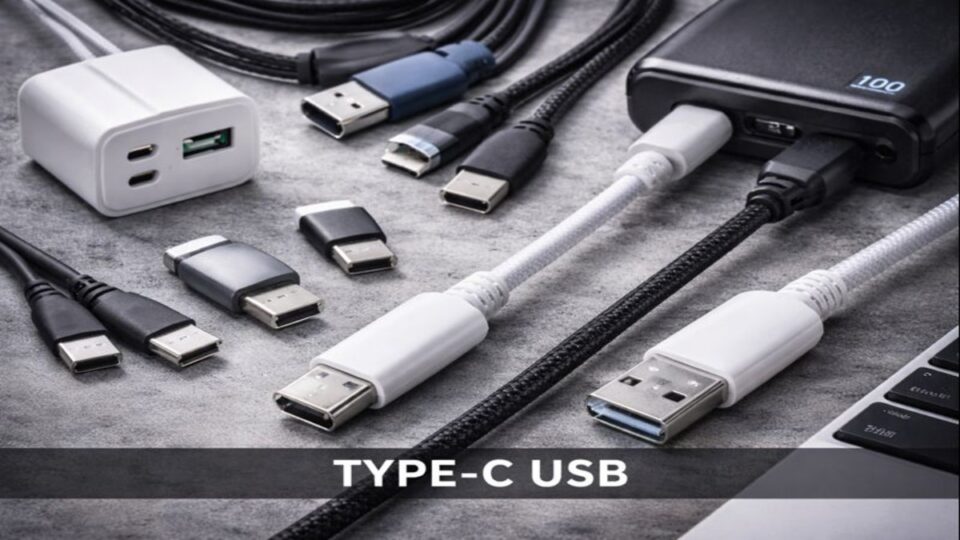
Introduction to Type-C USB
Type-C USB. Remember the frustration of plugging in a USB cable the wrong way? Flip it. Nope. Flip again. Still wrong. USB Type-C fixed that problem once and for all.
But Type-C is more than just convenience. It’s faster, smarter, and powerful enough to charge laptops while transferring data and video—all at the same time.
What Is USB Type-C?
USB Type-C refers to the shape and design of the connector, not the speed itself. This is where many people get confused.
Understanding the USB Naming Confusion
USB Type-C is often mixed up with:
- USB 3.2
- USB4
- Thunderbolt
Think of Type-C as the road, while USB standards are the speed limits.
Type-C vs USB Standards
A Type-C port can support:
- USB 2.0 (slow)
- USB 3.2 (fast)
- USB4 / Thunderbolt (very fast)
But not all ports support all features. Always check specs.
History and Evolution of USB Type-C
Why Type-C Was Introduced
Older USB ports were bulky, slow, and inconsistent. Tech companies wanted:
- One universal port
- Faster charging
- Better data transfer
- Cleaner device designs
Type-C was the answer.
Adoption Across Devices
Today, USB Type-C is used in:
- Android phones
- iPhones (newer models)
- Laptops
- Tablets
- Power banks
- Monitors
It’s everywhere—and growing.
Physical Design of USB Type-C
Reversible Connector Explained
No “up” or “down.” Plug it in any direction. Simple and satisfying.
Durability and Build Quality
Type-C connectors are rated for thousands of insertions, making them more durable than older USB designs.
USB Type-C vs Older USB Types
Type-A vs Type-C
| Feature | USB-A | USB-C |
|---|---|---|
| Reversible | ❌ | ✅ |
| Fast Charging | Limited | Excellent |
| Data Speed | Slower | Much Faster |
| Size | Large | Compact |
Type-B, Micro-USB, and Mini-USB Comparison
Micro-USB is officially outdated. Type-C is faster, stronger, and smarter.
USB Type-C Data Transfer Speeds
USB 2.0, 3.2, USB4 Explained
- USB 2.0: Up to 480 Mbps
- USB 3.2: Up to 20 Gbps
- USB4: Up to 40 Gbps
Real-World Speed Expectations
Your speed depends on:
- Cable quality
- Device compatibility
- USB standard supported
Power Delivery (USB-PD) Explained
Fast Charging Capabilities
USB-C can deliver up to 240W of power with USB-PD 3.1. That’s enough to charge laptops, monitors, and even gaming devices.
Laptops, Phones, and Accessories
One charger can power:
- Phone
- Tablet
- Laptop
Minimal clutter, maximum efficiency.
Video and Display Support
DisplayPort Alt Mode
USB-C can transmit video signals directly to monitors—no HDMI needed.
HDMI and Multi-Display Use
With hubs and docks, one Type-C port can support:
- Multiple monitors
- Keyboard
- Mouse
- Ethernet
USB Type-C in Smartphones
Most modern phones rely entirely on USB-C for:
- Charging
- Data transfer
- Audio accessories
It’s faster and more reliable than Micro-USB ever was.
USB Type-C in Laptops and PCs
Many laptops now feature only Type-C ports. While this means fewer ports, it also means more flexibility with hubs and docks.
USB Type-C Accessories and Hubs
H3: Docks, Adapters, and Dongles
Type-C hubs can instantly add:
- USB-A ports
- HDMI
- Ethernet
- SD card slots
One port becomes a command center.
Common Myths About USB Type-C
- ❌ All Type-C cables are fast
- ❌ All Type-C ports support video
- ❌ Type-C equals Thunderbolt
Truth? Capabilities depend on hardware and cables.
Compatibility and Cable Quality Issues
Why All Type-C Cables Are Not Equal
Cheap cables may:
- Charge slowly
- Fail data transfer
- Damage devices
Always buy certified cables.
How to Choose the Right USB Type-C Cable
Look for:
- USB-IF certification
- Wattage support (60W, 100W, 240W)
- Data speed rating
A good cable saves money long-term.
Advantages and Disadvantages of USB Type-C
Pros
- Universal design
- Fast charging
- High data speeds
- Compact and durable
Cons
- Confusing standards
- Cable quality issues
- Requires adapters for old devices
UFuture of USB Type-C
USB-C is becoming mandatory in many regions. It’s not just the future—it’s already here.
Conclusion
USB Type-C has reshaped how we charge, connect, and communicate with our devices. It’s fast, flexible, and powerful enough to replace multiple ports with one. While the learning curve exists, once you understand Type-C, there’s no going back. It’s the universal connector we always needed.
FAQs
Q1: Is USB Type-C faster than USB-A?
Yes, depending on the USB standard supported.
Q2: Can USB Type-C charge laptops?
Absolutely. Many modern laptops rely entirely on USB-C charging.
Q3: Are all USB-C cables the same?
No. Cable quality and supported features vary widely.
Q4: Does USB Type-C support HDMI?
Yes, through DisplayPort Alt Mode or adapters.
Q5: Is USB Type-C future-proof?
Yes. It’s designed to support future technologies and higher power delivery.
