
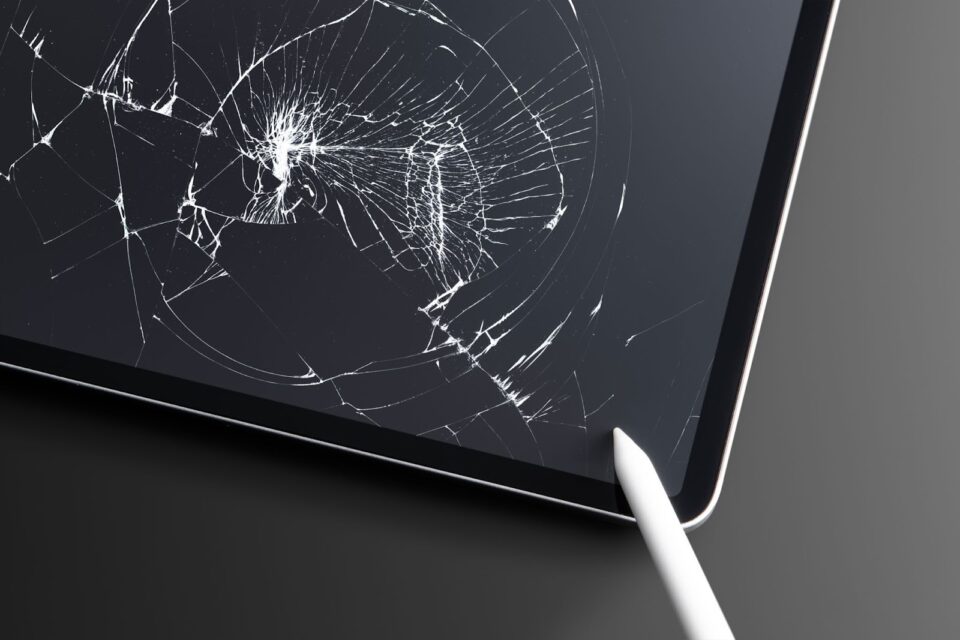
Laptops, tablets and iPads carry the core work of most U.S. professionals today. They hold financial spreadsheets, confidential client notes, design files, project plans and internal documents. The more work that teams store on these devices, the higher the risk when something goes wrong. And one of the most common causes of data loss is not malware or system failure, it’s physical damage.
A simple drop, a cracked corner or a spill can make the device unusable and the data inside unreachable. This risk has grown as more employees work on the go, travel with their devices or use tablets in the field. Protecting hardware is now a direct way to protect data itself.
Why Physical Damage Is a Major Cause of Data Loss
Many people assume data loss only happens during cyberattacks or software crashes. But hardware failure is often more destructive. Unlike corrupted files, physical damage can make the entire storage drive unreadable.
Common damage that leads to loss
Physical damage comes in many forms, and each one affects the internal components differently:
- Drops and impacts cause dents, loose connections, broken screens or damaged SSD controllers. Even if the device powers on, the storage may not be readable.
- Liquid exposure can short internal circuits and destroy both the motherboard and storage chips, leading to immediate data loss.
- Heat damage from leaving a laptop in a car or warehouse can warp components and weaken solder points, making long-term storage unstable.
- Crushed casings—for example, from luggage or equipment can bend the internal frame enough to damage the drive.
These are everyday risks—not rare events. Most companies report at least a few device accidents every year.
What Actually Happens Inside a Device After an Impact
When a laptop or iPad hits the ground, the outside damage is only part of the story. Inside, the shock can break delicate connectors or damage the SSD controller—the small chip that manages data flow. Once this chip is compromised, the drive becomes unreadable, even by professional tools.
A damaged corner can also twist the internal frame. This puts pressure on the motherboard and can fracture the storage chip itself. Screen failure is another major problem. If the display stops working, users lose access even if the data is intact.
These failures often happen instantly, with no warning signs.
Real Example: A Fall That Erased Four Months of Work
A small engineering firm in Minnesota had a field engineer who relied on a laptop for site reports and inspection photos. While climbing into a service vehicle, the laptop slipped out of his backpack and fell onto the pavement.
The result was costly:
- The corner bent inward and damaged the SSD socket
- The system could not detect the storage drive
- A data recovery lab quoted between $1,200 and $2,000 with a low chance of success
Four months of project notes, photos and CAD markups were lost. A protective case or padded sleeve could have absorbed the shock and prevented the internal damage.
How Physical Device Damage Impacts U.S. Businesses
Physical damage doesn’t only affect hardware. It creates operational and financial consequences:
Loss of active work
Unfinished reports, drafts, creative files and field documentation disappear without backup. Rebuilding them takes days or weeks—or may not be possible at all.
Missed deadlines
If an employee loses access to crucial files, project timelines slip. Some companies also face penalties if deadlines are tied to service contracts.
Compliance issues
Industries like healthcare, law, real estate and finance must maintain data records. Losing files due to physical damage can violate retention rules.
High recovery cost
Professional SSD recovery is expensive and often unsuccessful because damaged circuits are harder to rebuild than corrupted data.
Productivity delays
A damaged laptop or tablet stops work immediately. Replacement devices and reinstallations take time, leaving teams idle.
This makes prevention far more practical than restoration.
How to Prevent Data Loss From Physical Damage
Prevention is simple: protect the device itself. The right protection absorbs impact, shields internal components and keeps devices functional even during accidents.
Below are the most effective ways to reduce risk.
Use Protective Cases Designed for Real-Life Conditions
Most people use cases that look good but offer limited protection. For real-world work—especially for field teams, travelers, remote workers and sales reps—durability matters more than style.
Custom laptop sleeves
A high-quality padded sleeve protects against drops inside bags, bumps during travel and minor impacts. It reduces pressure on corners, which are the most common failure point in SSD damage. Many teams also choose Personalized laptop sleeves to add branding while improving device safety.
Custom laptop cases
Hard-shell custom cases offer stronger protection. They shield the frame, absorb shock and prevent bending. These cases work best for people who travel daily or work in shared environments where bumps are common.
Custom iPad cases
iPads are now used for CRM, forms, signatures, photos and notes. A rugged case prevents cracked screens, broken ports and micro-fractures that can shut down the device. It also improves grip, reducing accidental drops. In many workplaces, Protective iPad covers add an extra layer of security for tablets used in the field.
Custom tablet cases
Many industries—healthcare, manufacturing, logistics and retail—use tablets all day. Custom cases help workers carry the device safely, protect it from falls and reduce long-term wear.
Branded tech cases
Beyond protection, branded cases help identify company-owned devices, reduce mix-ups among teams and strengthen professional appearance during client visits.
Custom Logo Cases designs cases that protect devices in everyday U.S. conditions while keeping them easy to carry and work with. Protection and usability go hand in hand.
Implement a Reliable Backup Strategy
Even with strong protection, backups remain essential. A solid backup plan prevents small incidents from becoming major losses.
A practical approach is the 3-2-1 backup rule:
- Keep three copies of your data
- Store data on two types of storage (local + cloud)
- Maintain one copy off-site or cloud-based
Automated cloud sync, version history and encrypted storage round out a reliable system. The goal is to ensure that no single accident can wipe out important work.
Build Smart Device-Handling Habits
Simple habits reduce everyday risks:
- Avoid placing laptops on bed edges, car seats or unstable surfaces
- Keep drinks and liquids away from workspaces
- Use padded bags during travel
- Never leave devices in hot cars
- Store tablets and laptops in protective sleeves before putting them in backpacks
- Do not stack heavy items on top of devices
Small changes prevent large losses.
Final Thoughts
Physical device damage is one of the most preventable sources of data loss. Most accidents come from simple moments drops, spills, bumps or pressure inside a bag. With the right protection, these incidents never reach the internal components where your data lives.
Custom laptop sleeves, custom laptop cases, custom iPad cases, custom tablet cases and branded tech cases offer that first layer of defense. Pair them with regular backups and safe handling habits, and your data stays secure even when accidents happen.
Your device protects your work.
A strong case protects the device.
With Custom Logo Cases, you safeguard the tools your business relies on every day.
